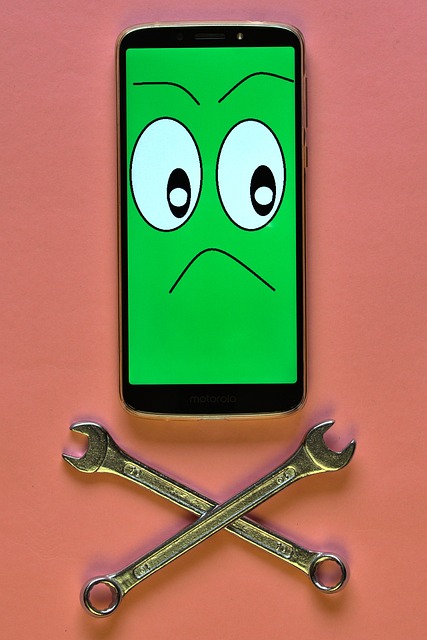
Courses built for real repair benches—structured, methodical, and shop-ready.

Each crowshard.ink pathway is designed around the decisions that matter: what to check first, what to document, when a part swap is justified, and how to verify the fix with a short QC script before handover.

Intake notes ESD-safe handling Connector discipline QC script
smartphone repair workshop tools microscope

Course design principle

Evidence first, parts second—so each repair leaves a paper trail.

Focus

Workflow

Outcome

Clean handover

Registration is handled on this website. We do not sell your data.

Course pathways

These pathways are grouped the way a real shop operates. First you learn safe disassembly and documentation, then you add repeatable replacements (screen and battery), and only then you layer troubleshooting logic and the service-center system: intake language, parts policy, and quality control. That order prevents the most common beginner trap: changing parts without a defensible diagnosis.

Core track

Smartphone Repair Fundamentals

The backbone of every other module. You learn a consistent intake and bench routine: condition recording, screw mapping, connector handling, and the habit of writing down observations before you touch parts.

  • Documented intake fields that reduce disputes
  • ESD-safe workflow and battery risk controls
  • Post-repair QC script to catch intermittent faults

Screen Replacement

Adhesive control, frame prep, and flex routing. Emphasis on avoiding the quiet failures: light leaks, touch dropouts, and mis-seated shields.

Battery Replacement

Safe removal patterns, pull-tab strategy, and what to do when tabs fail. Includes post-install stability checks and calibration habits.

Diagnostics and Troubleshooting

Build an evidence trail from “no power” to intermittent reboot. Learn how to separate accessory issues, charging-path basics, connector faults, and battery-related instability.

Triage order

Start with checks that do not require opening the device.

Decision points

Know when to stop and re-evaluate before ordering parts.

Tools and Bench Setup

Build a clean bench that supports repeatable work: ESD precautions, consumables, adhesives, screw storage, and inspection under magnification.

Which pathway should you start with?

If you want the safest ramp-up, start with Fundamentals and take Screen Replacement next. If your goal is troubleshooting, still begin with Fundamentals; the diagnostic language assumes you can document intake and reassemble cleanly.

How the courses are taught

Repair work is full of variables: unknown history, questionable chargers, and devices that arrive with multiple faults. The training is designed to keep you calm and systematic. Each module uses the same structure: define the symptom, run first checks, record what you observe, then proceed to repair steps only when the evidence supports them.

The emphasis is on bench habits that prevent comebacks: consistent connector seating, shield placement, flex routing, adhesive cleanup, and a short QC routine that covers the functions customers notice first.

  1. 01

    Document the intake

    Start with condition notes and a symptom checklist. This protects both technician and customer, and it forces clarity before the device is opened.

  2. 02

    Run evidence-first checks

    Verify accessories, observe charging behavior, and inspect connectors under magnification when applicable. The goal is to reduce “parts cannon” repairs.

  3. 03

    Perform the repair with discipline

    Safe opening, screw mapping, adhesive control, and careful reassembly. Small mechanical mistakes are a top source of intermittent failures.

  4. 04

    Verify with a QC script

    Test the functions that commonly fail after repairs: touch, cameras, speakers, charging stability, and sensor behavior where relevant. Write down the result so handover is unambiguous.

Register

Create your training registration

Register to receive the recommended starting pathway and next steps by email. We keep the form deliberately small: enough to create your registration and communicate about the training, without collecting unnecessary details.

What happens next

  • You will receive an email confirming your registration request.
  • We will provide the next steps and a suggested course pathway.
  • You can manage cookie preferences at any time via the footer link.

By submitting, you agree to our Privacy Policy.

We collect your name, email, and password for registration. We do not sell your data.

Contact email

[email protected]

No phone support is provided. Email is the fastest way to reach us.

Educational disclaimer

crowshard.ink provides educational content about smartphone repair, device diagnostics, and repair-shop operations. Repairs involve risks, including device damage, battery fire hazards, data loss, and injury from tools or chemicals. Always use appropriate safety equipment, follow manufacturer guidance where applicable, and comply with local laws, warranty terms, and consumer protection rules.

Course content is provided for learning purposes and does not constitute a guarantee of repair outcomes, business income, or certification. Results depend on your practice, tools, parts quality, and the condition of each device.

Safety reminders

  • Use ESD precautions and isolate power before disconnecting components.
  • Handle lithium batteries with care and stop if swelling or heat is observed.
  • Back up customer data where possible and clearly communicate limitations.

Business identity

Address: 139 Front Street, Chester-le-Street, DH3 3AU, England

Email: [email protected]